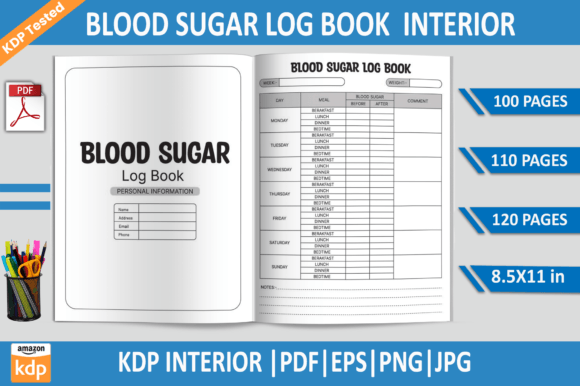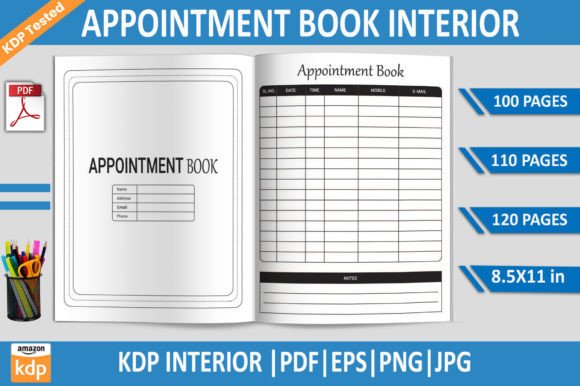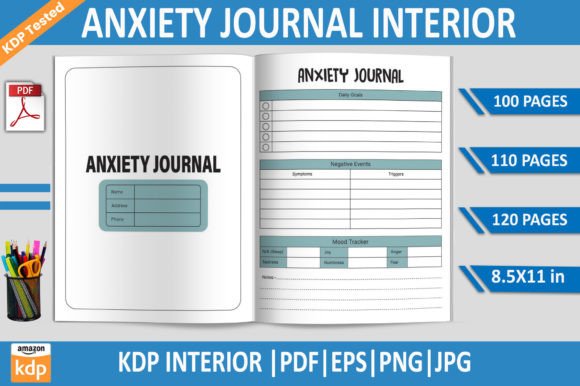
Kids Food Chart KDP Interior Template
What Makes a Ready-to-Print Food Chart Interior So Valuable
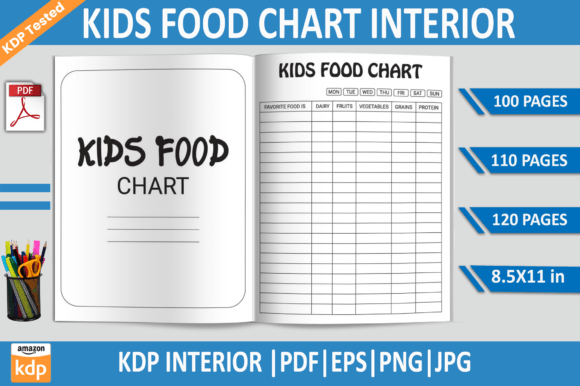
A Kids Food Chart KDP Interior Template isn’t just a file—it’s a launchpad for a product parents, teachers, and caregivers actively seek. When you hold a fully tested, 100-page PDF with transparent background PNGs, editable EPS, and high-resolution JPGs, you’re holding a solution to the daily challenge of building healthy eating habits. The fact that it’s formatted at 8.5x11 inches with no bleed and 300 DPI means it slips straight into Amazon KDP without resizing headaches. The included options—100, 110, and 120 pages—give you flexibility to build a compact journal or a year-long tracker.
This template turns what could be a tedious design task into an instant asset. Rather than wrestling with margins, gutters, and trim lines, you start with a structure that already passed KDP’s quality checks. The transparent PNGs let you layer graphics without guessing, and the editable EPS file keeps every element tweakable in Adobe Illustrator. It’s a balance of technical precision and creative openness that serves both the first-time self-publisher and the seasoned low-content creator.
Creative Directions for a Kids Food Chart Interior
A food chart can be more than a checklist. The moment you treat it as a canvas for positive reinforcement, you open doors to journals, diaries, and habit trackers that children actually want to use. Here are a few ways to stretch the idea while staying rooted in the Kids Food Chart KDP Interior Template’s solid foundation.
1. A Gentle Food Adventure Journal
Instead of a strict log, shape the pages into a weekly “taste explorer” diary. Use the template’s pre-built chart sections to encourage kids to color a fruit or vegetable they tried, then add a small star or sticker area. Because the PNG files have transparent backgrounds, you can overlay playful icons—a tiny rocket for new foods, a smiling carrot for veggies—without distorting the print-ready layout. This transforms the chart from a chore into a discovery game, and parents love products that reduce mealtime resistance.
2. A Meal Routine Builder for Picky Eaters
The 110-page variant works beautifully for a structured daily planner. Divide each page into breakfast, lunch, dinner, and two snack slots. Include a simple “did I try it?” checkbox and a mood emoji circle. By repeating the format across 110 days, you create a consistent visual rhythm that helps children predict and accept meals. The key is consistency, and the template’s no-bleed design ensures each page prints exactly as previewed, with no clipped boxes or shifted lines.
3. A Parent-Child Shared Wellness Diary
Some of the most successful KDP interiors invite interaction. Using the 120-page version, design a two-part layout: one side for the child’s food tracking with large, easy-to-fill icons, and a smaller “notes for grown-ups” section where parents jot down observations, allergy reactions, or new preferences. The EPS file allows you to add subtle prompts without cluttering the child’s space. This dual-purpose approach answers a real need—families managing dietary concerns or early childhood nutrition goals.
4. A Classroom or Daycare Group Tracker
Educators and childcare providers often need a single-page weekly overview to note what multiple children ate. By customizing the template in Adobe Illustrator, you can create a grid-style chart with room for up to 10 names and meal columns. The 8.5x11 size makes it easy to clip into a binder or laminate for reuse. Because the PDF is already KDP-tested, you can offer a printed workbook and a printable Etsy version from the same design files—just export the pages you need from the EPS source.
How Different Users Adapt the Same Template
The beauty of a well-structured interior file is that it doesn’t dictate the final product; it adapts. A nutritionist coaching families might add educational tip boxes alongside the chart. A mom blogger launching her first KDP series can insert a custom cover that speaks to her audience’s aesthetic—think boho neutrals or bright animal themes—while the interior remains crisp and functional. A kindergarten teacher might print only the 100-page version for a semester-long food diary project, knowing the 300 DPI quality holds up under repeated photocopying.
For designers building a brand, the editable EPS file is the true powerhouse. You can swap the default monochrome chart style for a pastel palette, introduce dotted lines for preschool handwriting practice, or embed a “my water tracker” section using the transparent PNG elements. The template gives you the structure; your expertise shapes the experience. And because every page in the 100, 110, and 120 packages is uniformly sized with no bleed, you avoid the common pitfall of creating a file that looks perfect on screen but triggers KDP trim errors.
Practical Tips for a Market-Ready Interior
Quality checklists matter less than quality workflow. While the Kids Food Chart KDP Interior Template already arrives KDP-tested, small customizations can elevate your product from generic to must-have. Keep these points in mind as you adapt the files.
- Preserve the 300 DPI resolve. When adding clipart or hand-drawn elements, ensure imported assets match the base resolution. A fuzzy sticker on a razor-sharp page breaks the illusion of a premium product.
- Use the no-bleed margin to your advantage. Since the template is bleed-free, you can place essential content closer to the edge without worrying about trimming. Just leave a comfortable 0.25-inch safe zone for legibility.
- Test your font choices in print. The EPS file lets you edit text layers. Stick with clear, readable fonts for the chart labels—children’s products especially benefit from slightly rounded, open typefaces that mimic handwriting guides.
- Layer transparent PNGs for depth. Instead of a flat chart, add a subtle watercolor wash or a border illustration behind the tracking boxes. The transparency ensures no white rectangles appear behind the design, preserving the page’s clean backdrop.
- Keep the page count intentional. 100 pages suits a focused challenge, 110 offers a balanced 3-month-ish journey, and 120 fills a semester or a generous habit-building period. Match the count to your product’s promise—don’t pad just to have more pages.
Transform the Chart into a Coaching or Educational Tool
A food chart interior can also become a workshop companion. Imagine a 6-week kids’ nutrition program where each week introduces a new food group. Using the 100-page template, you can allocate a “welcome page,” five daily tracking pages, and a weekend reflection spread per week. The editable EPS file lets you insert discussion prompts: “What color was on your plate today?” or “Tell a story about the food you liked most.” This turns a simple tracker into a guided learning experience that therapists, pediatric dietitians, and school counselors can use in sessions.
Another angle: pair the chart with a cut-and-paste sticker system. The high-resolution JPG files let you create a separate sticker sheet, but the chart interior itself can include empty circles sized perfectly for standard reward stickers. Parents often struggle to keep sticker charts organized; a bound book with designated spaces removes the mess and creates a keepsake. The 8.5x11 format provides generous real estate for both tracking and creative play.
Combining the Template with Other Low-Content Formats
Don’t limit the Kids Food Chart KDP Interior Template to a standalone product. The pages can be extracted and blended into related notebooks. For instance, a “Mom’s Daily Planner” could fold in a few food chart pages at the end of each month as a family wellness check-in. A homeschool planner might include a weekly food log to tie nutrition into science lessons. Because you have access to 100, 110, and 120-page versions, you can carve out sections that fit seamlessly into larger interiors—all without reformatting, thanks to the consistent 8.5x11 size and lack of bleed.
Digital product creators also benefit. The transparent background PNGs slide effortlessly into GoodNotes or Notability templates. You can market a printable PDF alongside a digital planning version, serving both the physical book buyer and the iPad planner community. This dual-format approach multiplies your reach while the core design work remains unchanged—just export from the same EPS master file.
Why a KDP-Tested File Reduces Launch Anxiety
Anyone who has uploaded a low-content book knows the sting of a “margin error” rejection. The Kids Food Chart KDP Interior Template bypasses that trial-and-error phase. The file has already been run through Amazon’s checker, so you can focus on content and branding rather than technical compliance. That confidence is priceless for creators who want to build series quickly. You can release a dinosaur-themed chart, a unicorn version, and a minimalist monochrome edition in successive weeks, all from the same base template, simply by swapping cover designs and adjusting interior accent colors in Illustrator.
Equally important, the instant download nature means you can inspect the files before committing to a full project. Open the EPS, see how layers are organized, and decide if the chart grid aligns with your vision. If you need a slightly different layout—perhaps a horizontal orientation for a calendar-style tracker—you can shift elements within the 8.5x11 frame without rebuilding the entire structure. The template gives you a working blueprint, not a rigid mold.
Bringing It All Together: Real-World Project Ideas
Let’s make this concrete. Here are three quick-start concepts using the Kids Food Chart KDP Interior Template that you can customize today.
- “My 100-Day Colorful Plate Challenge” – Use the 100-page file to create a daily coloring tracker. Each day, the child colors one food icon on their plate. Include a progress bar for fruit, veggie, protein, and grain intake. Add encouraging notes from the parent in the margin using a simple text box in the EPS.
- “The No-Fuss Allergy-Friendly Food Log” – With allergies on the rise, a 120-page diary where caregivers note safe foods, reactions, and new introductions becomes a medical-adjacent tool parents trust. Use the editable text to add disclaimer and note sections. The clean, no-bleed design ensures it looks professional and reassuring.
- “School Morning Menu Builder” – Children help plan their weekly breakfasts using a Monday-through-Friday layout. The 110-page version covers two full semesters when you include a few holiday pages. The transparent PNG elements let you add seasonal illustrations without disrupting the chart grid.
The underlying truth is simple: a well-prepared interior template like the Kids Food Chart KDP Interior Template removes the friction between an idea and a published book. It invites you to play with serious purpose—to design tools that actually help families, educators, and children connect around food in a positive, guilt-free way. Whether you’re crafting a cute Etsy printable or a full KDP series, the 300 DPI resolution, flexible page counts, and editable source files give you the creative freedom to make something meaningful, not just marketable.
When you download the 100 tested PDF, EPS, PNG, and JPG bundle, you’re not just getting pages—you’re getting permission to skip the grunt work and move straight to the part that matters: building a product that resonates with real people. That’s the advantage of a template built for creators, by someone who understands both design and the KDP platform’s quirks.