Appointment Book KDP Interior Template: A Designer’s Resource
A well-designed appointment book is more than a scheduling tool—it’s a daily brand touchpoint that reflects professionalism and attention to detail. If you’re creating interiors for KDP (Kindle Direct Publishing), having an Appointment Book KDP Interior Template that’s print-ready and visually polished can save hours of layout work while ensuring a premium, consistent look. This specific resource arrives as a 100% tested PDF, and it includes multiple file formats that fit right into any modern graphic design workflow, making it a smart addition to your creative asset library.
Why Design Matters in Appointment Books
In the world of visual design, even a simple appointment tracker communicates brand identity. The choice of typography, the rhythm of the grid, the balance of negative space—all these elements shape the user experience. A thoughtfully constructed template lets creators embed subtle branding cues like a color palette or logo, turning a utility item into a cohesive brand touchpoint. When every page feels intentional, the product moves from generic stationery to a memorably polished piece of print design.
What’s Inside the Appointment Book KDP Interior Template
This ready-to-upload bundle is structured to support both speed and customization, offering the flexibility designers need for serious creative projects.
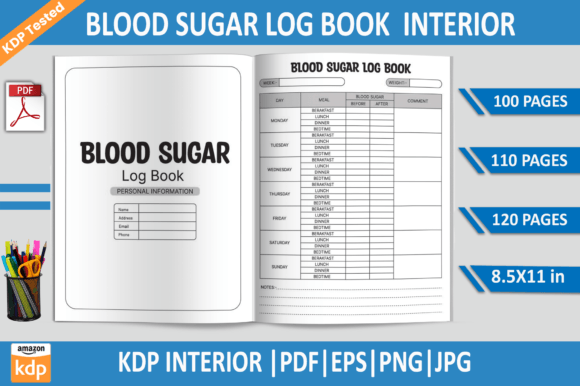
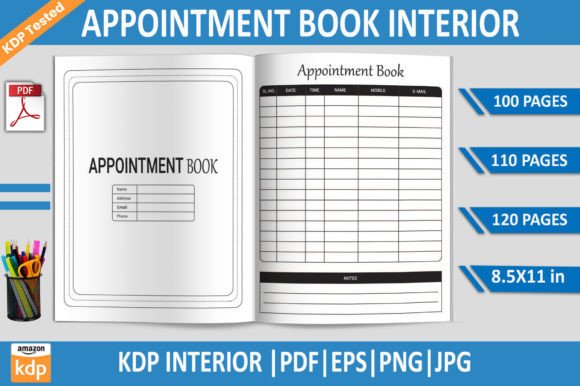
- PDF Files (100, 110, and 120 pages) – Print-ready, KDP-tested interiors sized at 8.5×11 inches with no bleed, so you won’t face formatting surprises during upload.
- EPS File – Fully editable vector source file, ideal for adjusting text styles, tweaking the layout, or matching existing brand guidelines in Adobe Illustrator.
- PNG File with Transparent Background – Perfect for layering, mockups, and social media graphics where you need the page visual without a solid background.
- High-Resolution JPG File – A versatile raster option at 300 DPI for quick previews, web-based branding, or editorial design collages.
All assets are produced at 300 DPI, ensuring sharp output for professional presentation. The no-bleed setup simplifies the print design process, while the built-in page count variants let you cater to different market segments without reworking the core look.
Practical Applications Across Branding and Marketing
A single template can fuel a wide range of creative output. Beyond the obvious Amazon KDP publication, smart designers repurpose these files across digital and physical channels, strengthening overall visual communication.
Branding and Identity Systems
Use the EPS file to insert a logo, match brand colors, and apply a consistent typographic style. The result is a custom interior that feels exclusive to the brand, not a re-skinned generic product.
Social Media Graphics and Digital Marketing
The transparent PNG gives you a clean page visual to overlay on lifestyle images or announcement posts. Combine it with your color palette and typography for social media graphics that promote a new product launch or themed planning collection.
Editorial and Print Collateral
Planners and appointment books double as editorial content. Place the JPG or PDF pages into lookbooks, catalog mockups, or client presentations to showcase a series. The high resolution keeps imagery crisp even in large-format print design.
UI and Web Design Elements
For web designers, the clean layout of a booking interior can inspire user-friendly scheduling interfaces. Snip a section to create UI components or pattern libraries that borrow its visual hierarchy and modern aesthetics.
Packaging and Merchandise
Want to extend the brand? Scale down the design for notepads, gift boxes, or merchandise tags. The EPS format allows you to isolate graphic elements and re-apply them without resolution loss, maintaining design consistency across formats.
Designing with Confidence: Key Structural Choices
When evaluating any Appointment Book KDP Interior Template, you’re really looking for a foundation that respects design workflow and production standards. Here are the details that matter most.
300 DPI quality with no bleed means the file is engineered for self-publishing precision. You won’t need to add extra safe margins or resize artwork. The 8.5×11-inch proportions are universally recognized, and the multi-page count options (100, 110, 120) give you quick market testing flexibility. In visual design terms, the consistent gutter-safe spacing and uniform margin treatment preserve readability, whether the user is jotting a quick note or scanning a full week.
The editable EPS file is a non-negotiable asset for typography and color palette control. You can open it in Adobe Illustrator, apply paragraph styles, swap out header typefaces, and instantly see how visual hierarchy improves. Meanwhile, the PNG and JPG versions serve as instant preview layers for presentations, store listings, and digital marketing materials.
How Visual Hierarchy and Typography Elevate the Page
Even a blank scheduler has a message. The layout’s primary, secondary, and tertiary elements—date headers, time slots, appointment lines—guide the eye and reduce cognitive load. A strong template uses comprehensive font weights and size contrasts to create a clear V-flow. When you customize the EPS file, pay attention to these details: increase header size for prominence, use a lighter weight for note areas, and maintain generous white space. Small adjustments like these transform a basic template into a polished tool that users instinctively enjoy.
Color also plays a huge role. If the template uses black and dark grays by default, you can introduce a soft accent from your brand’s color palette for subheadings or dividers. That small touch adds personality without sacrificing the professional presentation needed for a KDP bestseller.
Tips for Selecting and Using Creative Assets
Before you hit “upload,” verify that the design asset fits both the project and the audience. Look for these checkpoints:
- Scalability and editability – EPS files ensure you can scale the layout to any size without losing sharpness. Avoid templates that offer only flat raster files if you plan to customize deeply.
- Print compatibility – Files tested on Amazon KDP remove the guesswork. Confirm that margins, bleed settings, and page count comply with the platform’s latest guidelines to avoid rejections.
- Visual consistency with existing brand systems – The font, grid, and color language should either match your current design or be flexible enough to adapt through the editable source file.
- Audience readability – In editorial design, clarity wins. Test the PDF on a tablet or in print to see if the type size and line spacing feel comfortable for extended use.
Embracing these design-first habits ensures that a template becomes more than a time-saver—it becomes a catalyst for sharper visual communication.
Thoughtful design choices turn a plain scheduler into a refined product that reinforces brand identity and user engagement. A well-prepared Appointment Book KDP Interior Template gives you a professionally structured head start without limiting your creative freedom. By leveraging editable vectors, high-resolution rasters, and KDP-validated PDFs, you keep your visual design consistent, your print design output flawless, and your marketing materials remarkably cohesive. In a landscape where attention is scarce, even a humble appointment book can speak volumes about quality, care, and a designer’s eye for detail.