Integrating Dinosaur Coloring Book KDP Interior V14 into Your Content Publishing Pipeline
For self-publishers, educators, and content creators who work with Amazon KDP, the search for reliable, print-ready interior files is a constant part of the production cycle. Dinosaur Coloring Book KDP Interior V14 is a pre-built digital asset that solves a specific, recurring need: having a collection of dinosaur-themed coloring pages formatted exactly for 8.5″ x 11″ trim size, with all the technical requirements already met. Instead of spending hours sourcing illustrations, cleaning up line art, and manually adjusting margins, you can acquire a complete interior package and move directly into the branding, cover design, and listing stages. This article will walk through where this interior fits in a practical workflow, how to prepare and validate the files, and ways to maintain quality and consistency across multiple projects or revisions.
What the V14 Interior Actually Contains
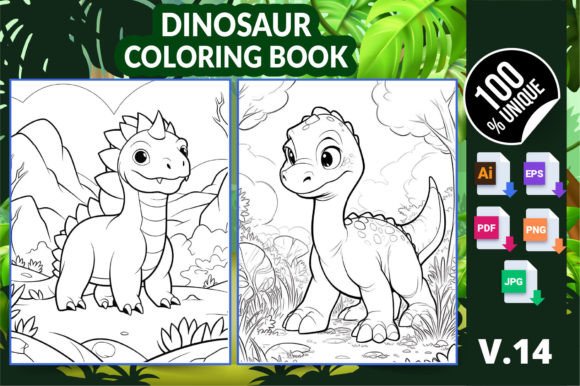
Before integrating any asset, understanding its structure prevents downstream friction. The Dinosaur Coloring Book KDP Interior V14 download delivers a ZIP archive with multiple file formats that cater to different software preferences and publishing steps:
- 01 AI (Adobe Illustrator) file
- 01 EPS (Encapsulated PostScript) file
- 01 ready-to-print PDF file
- 06 high-resolution PNG files
- 06 high-resolution JPG files
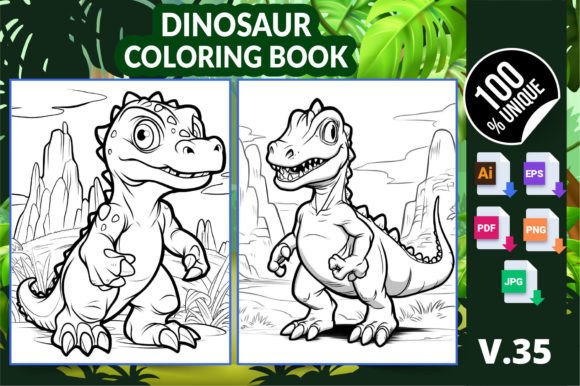
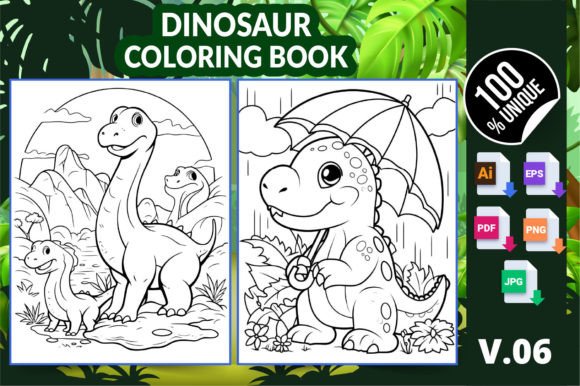
All pages share a single consistent theme — dinosaurs combined with floral elements — and the pack contains six distinct coloring pages. While the product description frames it as suitable for adults, kids, and kindergarten students, the line art style leans detailed enough to engage older colorists while remaining approachable for younger audiences. This duality makes the interior a flexible base for different niches: stress-relief coloring books for adults, educational activity books for children, or hybrid family-friendly publications.
The dimensions are fixed at 8.5″ x 11″, the standard US letter size that is heavily used on KDP for coloring books. Each page is prepared with high resolution, which translates to crisp printing at 300 DPI or above — a critical requirement for any print-on-demand platform where customer returns often stem from blurry or pixelated interiors.
Where This Interior Fits in a Self-Publishing Workflow
For anyone with a repeatable publishing process, a ready-made interior like this one acts as a time-saving module. You can place it at the very beginning of a new book project when you want to validate a market niche quickly, or you can pull it into an existing series to expand your catalog without starting from zero.
Typically, the production flow splits into three broad phases:
- Pre-production: market research, niche selection, interior asset sourcing, cover concepting.
- Assembly and quality assurance: combining front matter, interior pages, and back matter into a single print PDF, checking bleed, margins, and resolution.
- Publishing and monitoring: uploading to KDP, setting metadata, ordering proofs, adjusting based on physical samples.
Dinosaur Coloring Book KDP Interior V14 slots directly into the pre-production and assembly phases. You are bypassing the illustration and layout steps entirely. After downloading the ZIP, you can immediately open the PDF to inspect the pages, decide on the order, and then add your own cover file. For creators who maintain a backlog of interior templates, dropping in a pack like this reduces the time from idea to upload from days to hours.
Preparing the Files for a Smooth KDP Upload
Even when an interior is labeled “ready to print,” performing your own checks is a non-negotiable part of maintaining a professional brand. Here is how to handle each file type while preparing for Amazon KDP:
PDF format: The included PDF is likely already sized at 8.5″ x 11″ without bleed. Open it in Adobe Acrobat or a compatible reader and inspect the page boxes. If you prefer to add bleed yourself for full-bleed interiors (common in coloring books to prevent white slivers), you can use the AI or EPS file in Illustrator to extend background elements. For most coloring books, no-bleed is acceptable since the art is centered, but verify against KDP’s current specifications.
AI and EPS files: These are your editable source files. Use them if you need to reposition art, adjust margins, add page numbers, or insert a “This Book Belongs To” page. If you work primarily in Affinity Designer, Inkscape, or CorelDRAW, the EPS will import more reliably than AI, but always check for any font or element substitution. Because these are line art illustrations, you won’t face complex gradient or transparency issues, but it’s good practice to open the EPS, verify layer structure, and re-export your own print PDF with your preferred settings.
PNG and JPG files: The six individual page files are useful for creating promotional mockups, Etsy listing images, social media posts, or previews. The PNGs with transparency are particularly handy when you want to overlay the art on a colored background without a white box. During the publishing workflow, you might not use these for the final book interior—always stick to vector or PDF for print—but they are essential for your marketing asset library.
Adding Your Cover and Front/Back Matter
A coloring book interior alone isn’t a product until it has a cover and, often, a title page. Since the V14 pack gives you the core content, you will need to prepare a cover file matching the 8.5″ x 11″ trim in KDP Cover Calculator. If you have a template for coloring book covers — perhaps a space for a colored sample illustration, title, subtitle, and barcode — you can drop one of the PNG pages into a mockup tool like Placeit or Photoshop to create a realistic preview. This speeds up the A+ content creation and listing optimization that follows the upload.
You might also add a blank page at the beginning to prevent bleed-through if you plan to sell a paperback version where markers are used. The AI or EPS file allows you to insert such pages seamlessly. Consider adding a simple copyright page, a “how to color” tips page, or a single test page for swatching — small value additions that differentiate your book from others using the same interior asset.
Maintaining Consistency Across Multiple Books
If you operate a coloring book brand on Amazon, you’re likely publishing multiple titles in a series. Using interior packs like this one becomes part of your asset management strategy. To maintain a cohesive brand experience, consider:
- Keeping a master template in Illustrator where you insert interiors, apply your standard front matter, and export all books with the same compression and color profile settings.
- Naming your PDFs consistently — e.g., “Brandname_Dinosaur_Flower_Interior_v1.pdf” — to avoid version confusion in KDP reports.
- Archiving the original AI, EPS, and PNG files in a cloud folder structure organized by interior pack name, so if a customer reports a printing issue, you can quickly re-export or tweak the source.
The V14 pack is one of many variations on this theme; if you later purchase V15 or a space-themed pack, following the same folder naming and file preparation steps will make your production process scalable.
Quality Control Checks Before Hitting Publish
A file being “tested on Amazon KDP” doesn’t mean it will automatically pass every automated check, especially as KDP’s pre-flight occasionally updates its algorithms. Before you upload, run through a short checklist:
- Resolution verification: Open the PDF at 300% zoom and confirm lines are crisp, not jagged. The high-resolution claim should mean vector-based art, but raster elements in the PNGs might be embedded; check that no pixelation appears.
- Margin safety: Ensure no critical artwork falls within 0.25″ of the edge if you’re not using bleed. KDP may trim unevenly, and you don’t want tails or petals cut off.
- Color mode: While coloring pages are black and white line art, sometimes files contain stray CMYK or RGB color profiles. For print, grayscale or CMYK is safer. Verify in your PDF preflight tool (Acrobat’s Print Production tools work well) that all plates are consistent.
- Page count: Six coloring pages means a total interior page count of 6, plus any added pages. KDP requires a minimum of 24 pages for paperbacks; if you only use these 6, you’ll need to duplicate or add other content until you reach that threshold. Many publishers repeat the set to create a 48 or 60-page book, or they combine multiple interior packs to build a larger volume.
Using the Asset Beyond Amazon KDP
While the product description focuses on Amazon KDP, the high-resolution PNG and JPG files open up parallel revenue streams. The same coloring pages can be used to create printable PDF bundles sold on Etsy or Gumroad, or they can be integrated into physical products like spiral-bound coloring pads through Lulu or IngramSpark. For educators, the pages become instant classroom handouts when printed directly from the PDF. For bloggers, the PNGs can be offered as a freebie in exchange for email sign-ups, driving leads while you promote your full KDP book.
In each of these contexts, the workflow adjusts slightly. On Etsy, you might upload the individual PNGs as a zipped download and add terms of use. On a blog, you’d optimize the PNG file size for web delivery. But the underlying asset remains the same core dinosaur floral design set, and having multiple formats means you don’t need to reconvert anything.
Long-Term Use and Asset Lifespan
One practical advantage of AI and EPS source files is that they are resolution-independent. Even if print standards change in five years, you can reopen the file and re-export at whatever specifications are required. The V14 pack is not locked into a single use; you could recolor the line art digitally and sell it as a clip art set, or slice individual dinosaurs out for sticker sheets. This forward-compatibility is valuable for creators who like to repurpose content across their portfolio.
Backup the original ZIP in at least two locations (local drive and cloud) immediately after purchase. If you customize the AI file, save a master version and a working copy to prevent accidentally overwriting your only source. This small organizational habit, repeated across all asset purchases, saves hours when you later want to update a title or create a second edition.
Practical Example: Launching a Dinosaur Flower Coloring Book
Let’s walk through a real-world scenario. A creator who already has three coloring books on KDP in the floral niche wants to test a dinosaur-flower crossover. They acquire Dinosaur Coloring Book KDP Interior V14, then:
- Open the PDF and decide the page order. They duplicate the interior three times to create 18 coloring pages, then add a title page, a “color test” page, and an index giving each page a plant name (mixing botany with dinos). Total interior now 24 pages — exactly the minimum.
- Open one PNG in Canva, overlay a mock cover design, download it, and run it through KDP Cover Calculator to get an exact template. They design the final cover in Photoshop using the template dimensions.
- Upload the interior PDF and cover to KDP, set categories (Children’s Dinosaur Books, Flower & Plant Coloring Books for Adults, etc.), and order an author proof. Upon receiving the proof, they check for bleed, paper thickness, and line work print quality.
- Simultaneously, they use the JPG files to create social media teasers, a time-lapse coloring video, and an Etsy listing offering the six pages as a mini printable pack for $3.99.
This approach takes advantage of the asset’s flexibility without getting stuck in redesign loops. Because the source files are editable, any tweaks post-proof — adjusting a line weight that looks too thick, for instance — are fixable without going back to a freelancer.
Alignment with KDP Content Policies and Best Practices
Amazon’s guidelines for coloring books require that interiors deliver a substantially different customer experience from other books already on the platform. Using a commercial interior pack does not automatically violate this, but you should avoid uploading the exact same file unmodified if dozens of other sellers are doing the same. To stay compliant and competitive:
- Add value through unique front matter, interesting page names, or a themed introduction.
- Consider creating a series that combines this interior with a companion book — perhaps a dinosaur fact book or a floral identification guide — to differentiate.
- Ensure your cover accurately represents the interior art style so customers aren’t surprised, reducing return rates.
By treating Dinosaur Coloring Book KDP Interior V14 as a foundation layer rather than the finished product, you build a publishing process that balances speed with originality.
Summary of Implementation Points
To integrate this interior pack effectively, plan for the following actions in your workflow: immediately unpack and inspect all file types; verify resolution, margins, and page count against KDP’s current requirements; use editable source files for any customization; archive originals with clear naming; repurpose PNG/JPG assets for marketing; and always order a physical proof before scaling to ads or wide distribution. These steps turn a digital download into a revenue-generating product while keeping quality high and production predictable.